Notion Connector
Sync pages and databases from your Notion workspace into Knowledge Raven. All synced content is immediately searchable by your AI agent.
What Gets Synced
- Notion pages (page content, converted to Markdown)
- Notion databases (all database entries as individual documents)
- Page and database titles are indexed as searchable metadata
- Attachments and embedded files are not synced in the current version
How to Connect
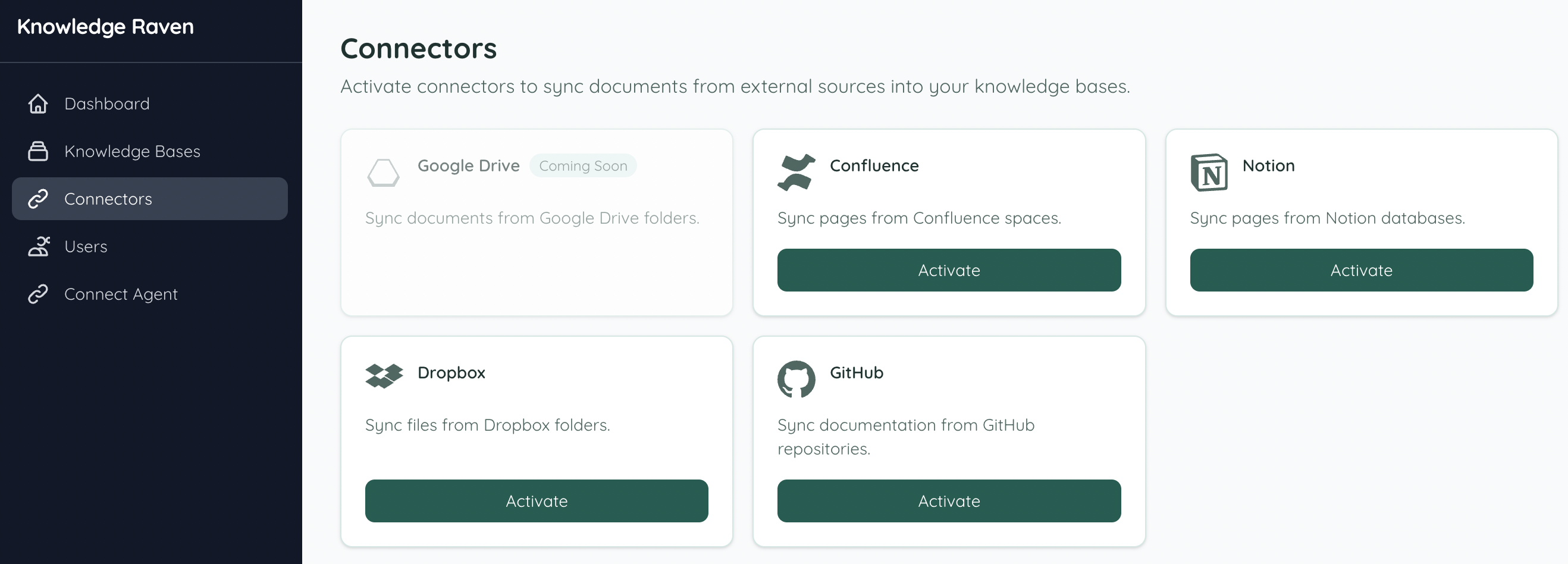
Activate the Connector
In your Knowledge Raven Dashboard, click Connectors in the sidebar. Find Notion and click Activate.
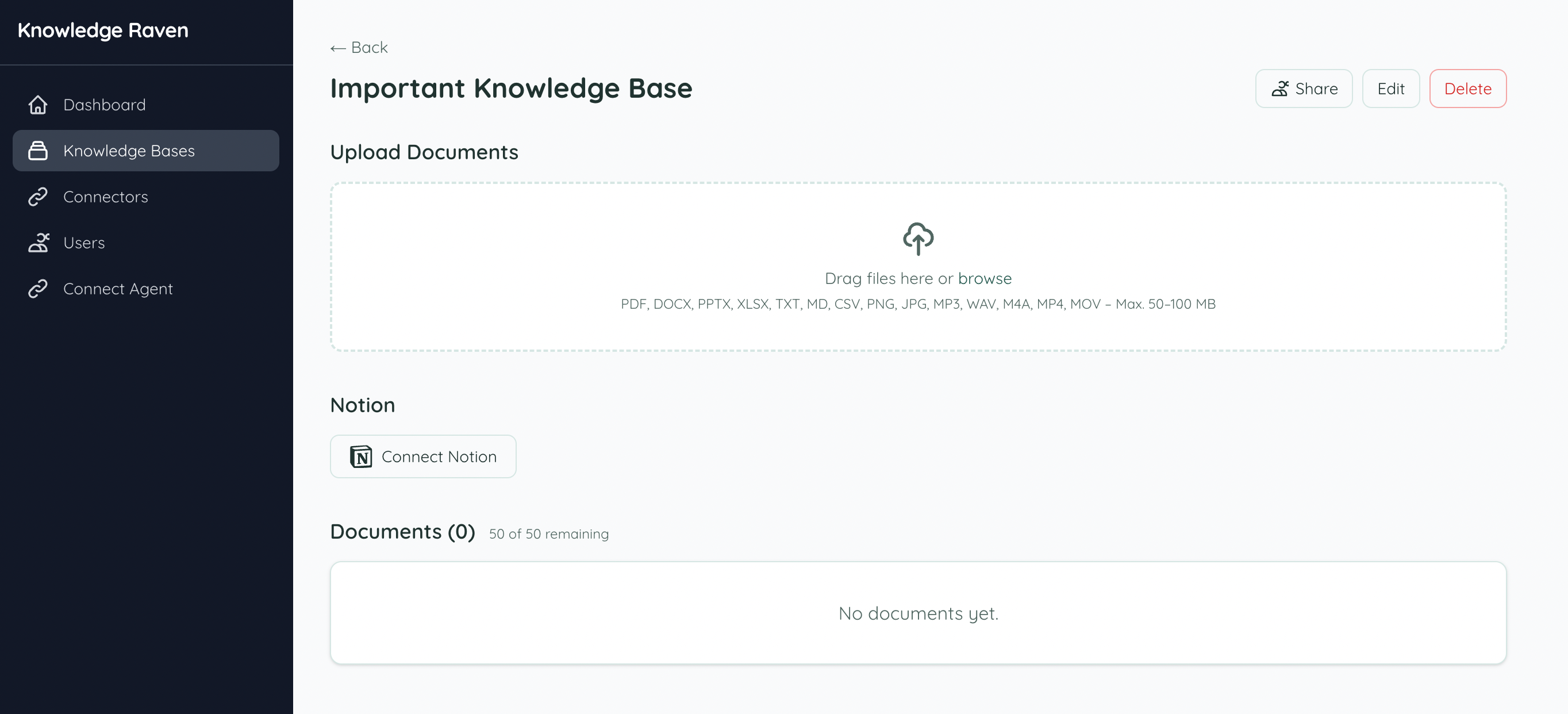
Connect from your Knowledge Base
Open the Knowledge Base you want to sync into. You’ll see a Connect Notion button — click it to start the connection.
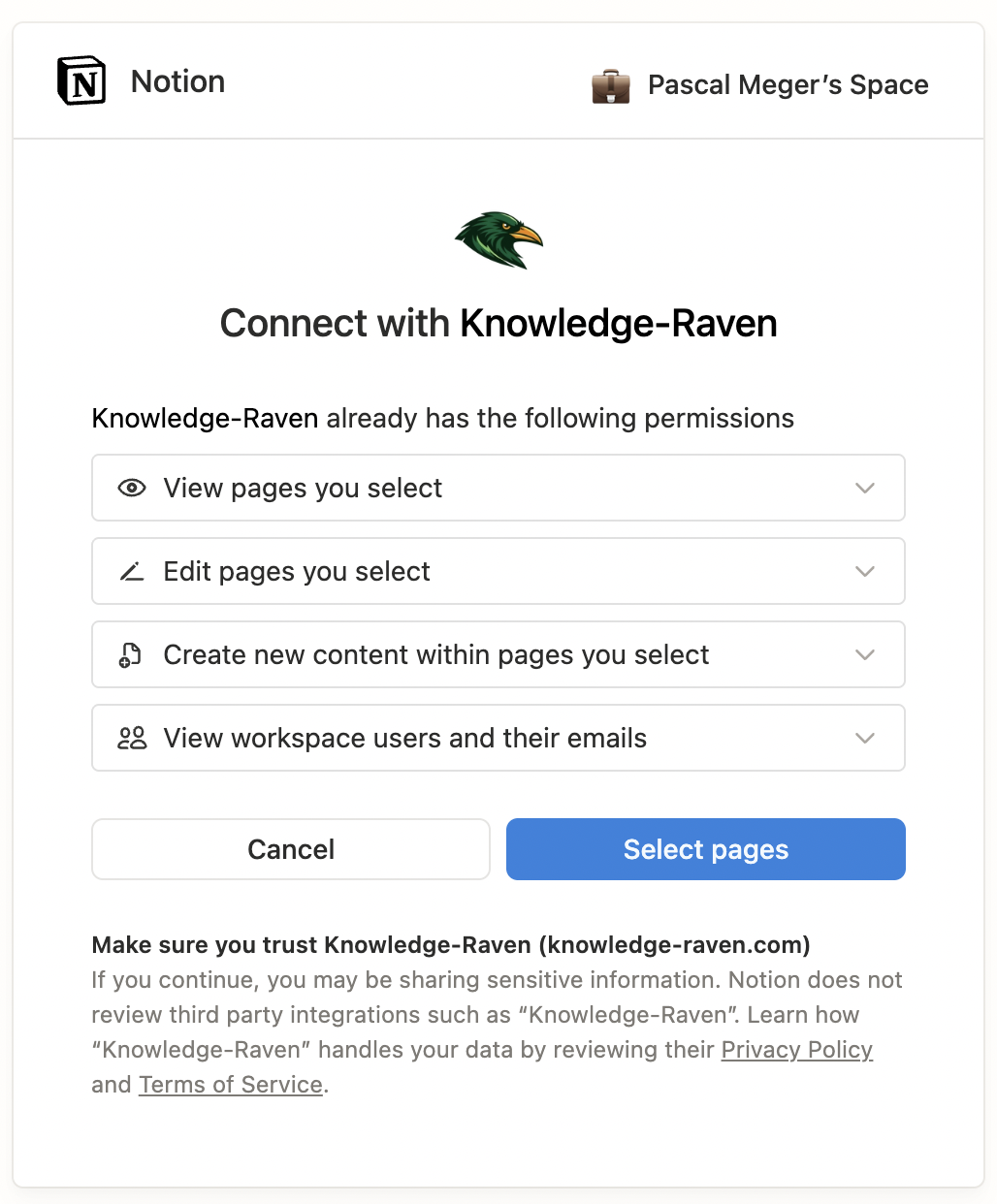
Authorize with Notion
You are redirected to Notion’s OAuth page. Review the requested permissions and click Select pages to continue.
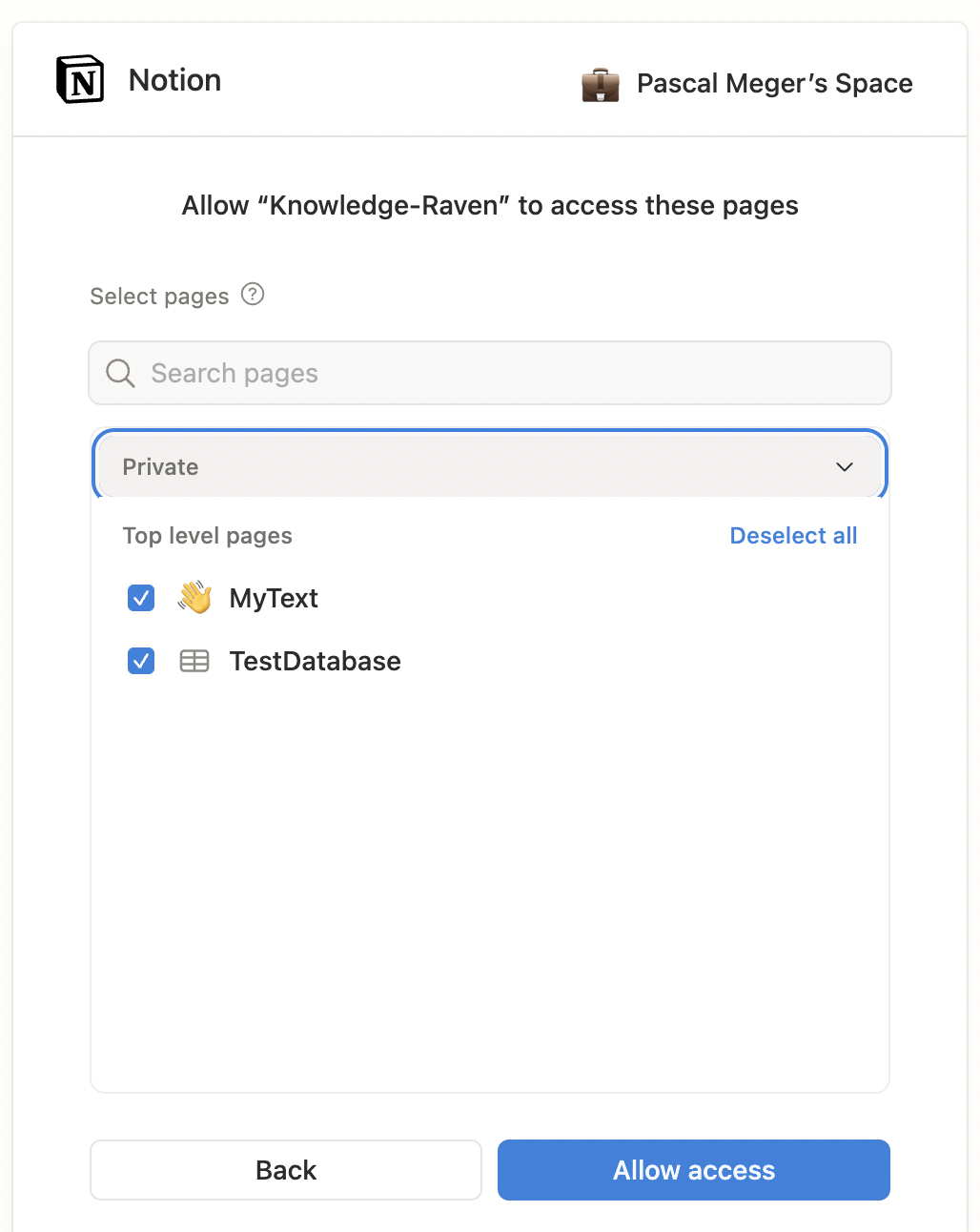
Select pages and databases
Notion shows all top-level pages and databases in your workspace. Check everything you want to give Knowledge Raven access to, then click Allow access.
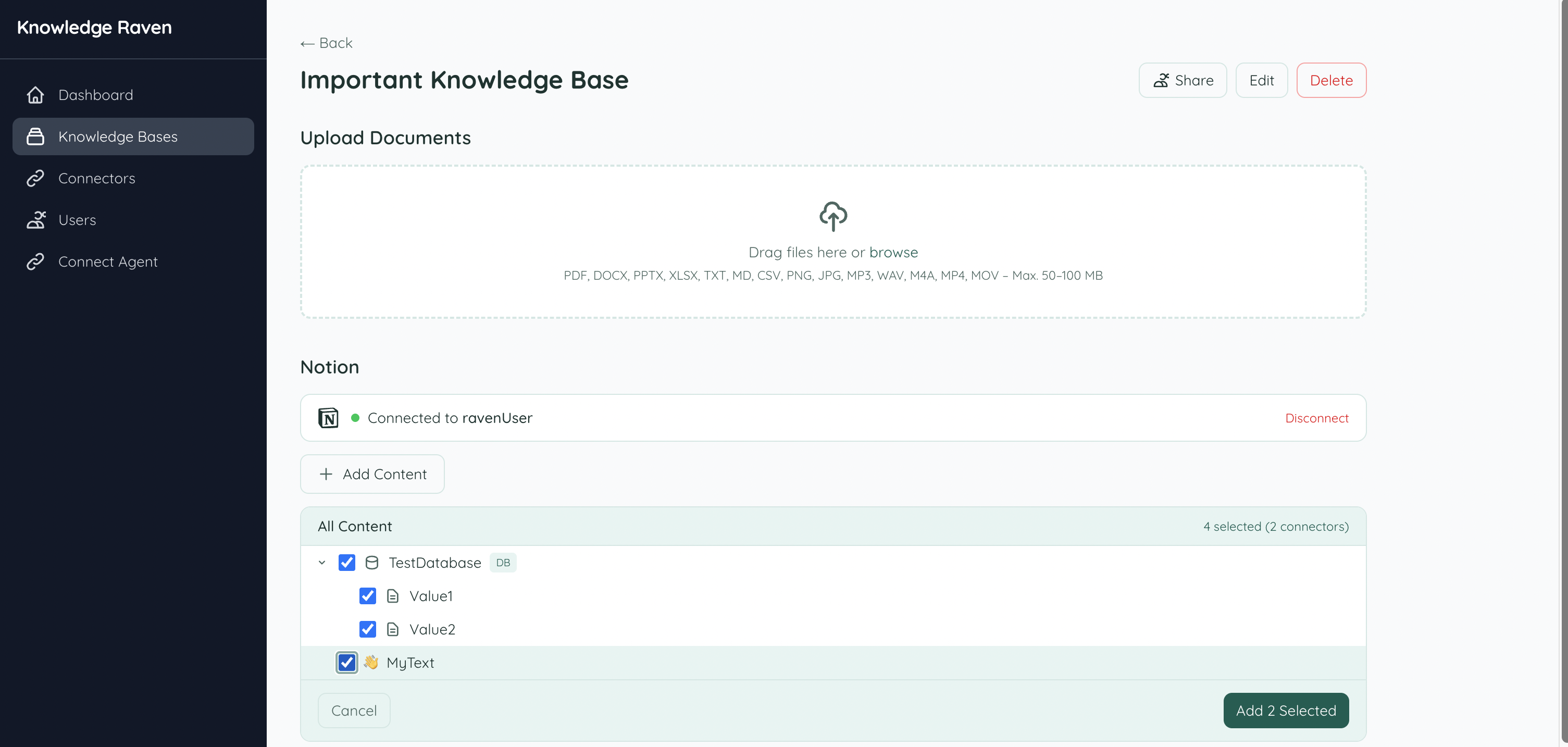
Choose content to sync
Back in Knowledge Raven, your authorized pages and databases are listed. Select the ones you want to sync into this Knowledge Base and click Add Selected.
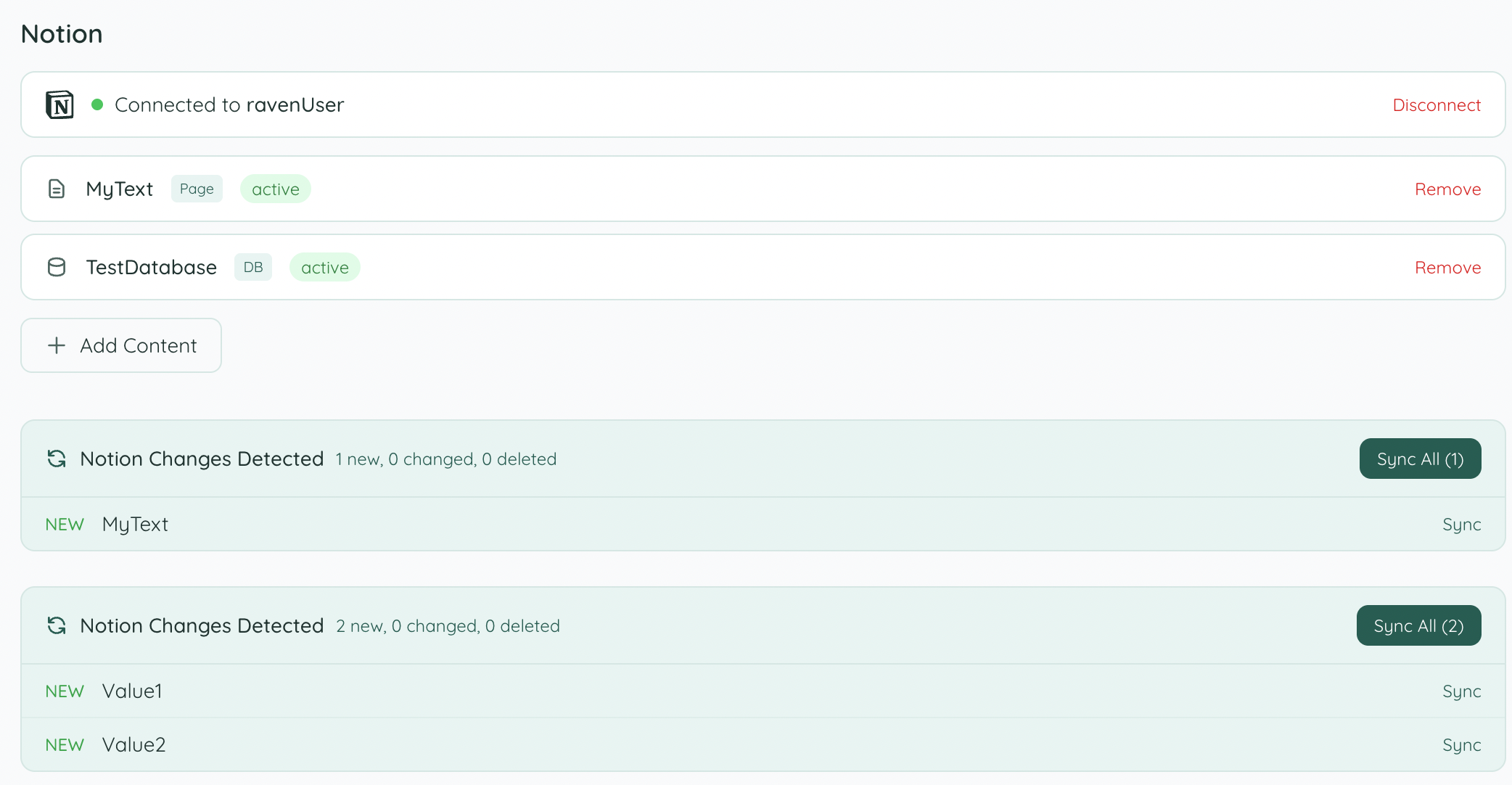
Sync your content
Knowledge Raven detects all new content. Click Sync All to index everything — or sync individual items using the Sync button next to each one.
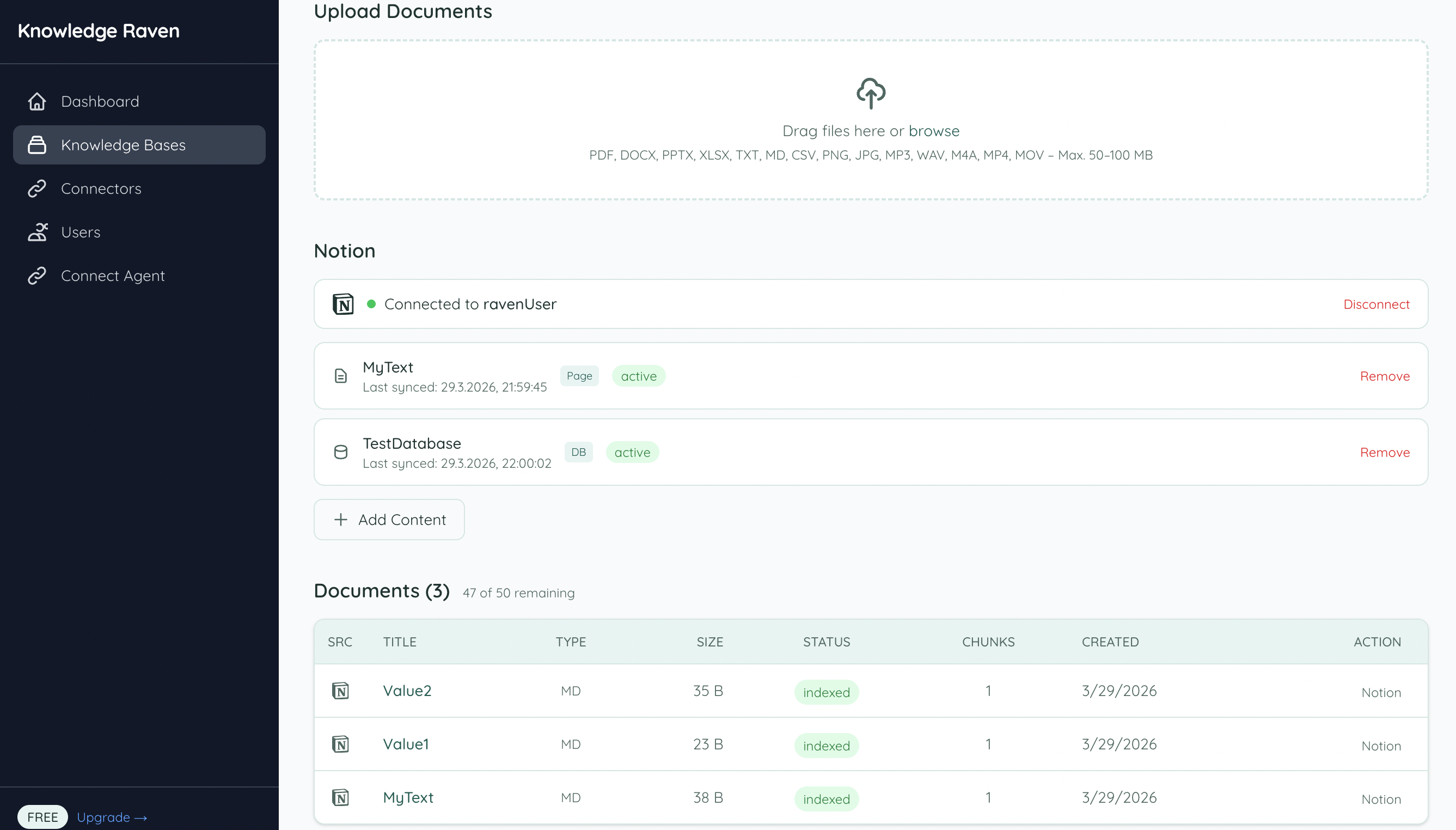
Done — content is indexed
Once syncing is complete, all pages and database entries appear in the Documents list with status indexed and are immediately searchable by your AI agent.
Source Deep-Linking
When your agent cites a Notion page or database entry, the source_link points back to the original Notion URL, so you can open it directly with one click.
Troubleshooting
“Authorization failed” — Make sure you selected at least one page or database during the Notion authorization step.
Pages not showing up — Only pages and databases you explicitly selected during OAuth are accessible. To add more content, click Add Content in the Knowledge Base and re-authorize with additional pages selected.
Database entries not syncing — Each database entry is synced as an individual document. Large databases may take a few minutes to fully index.